
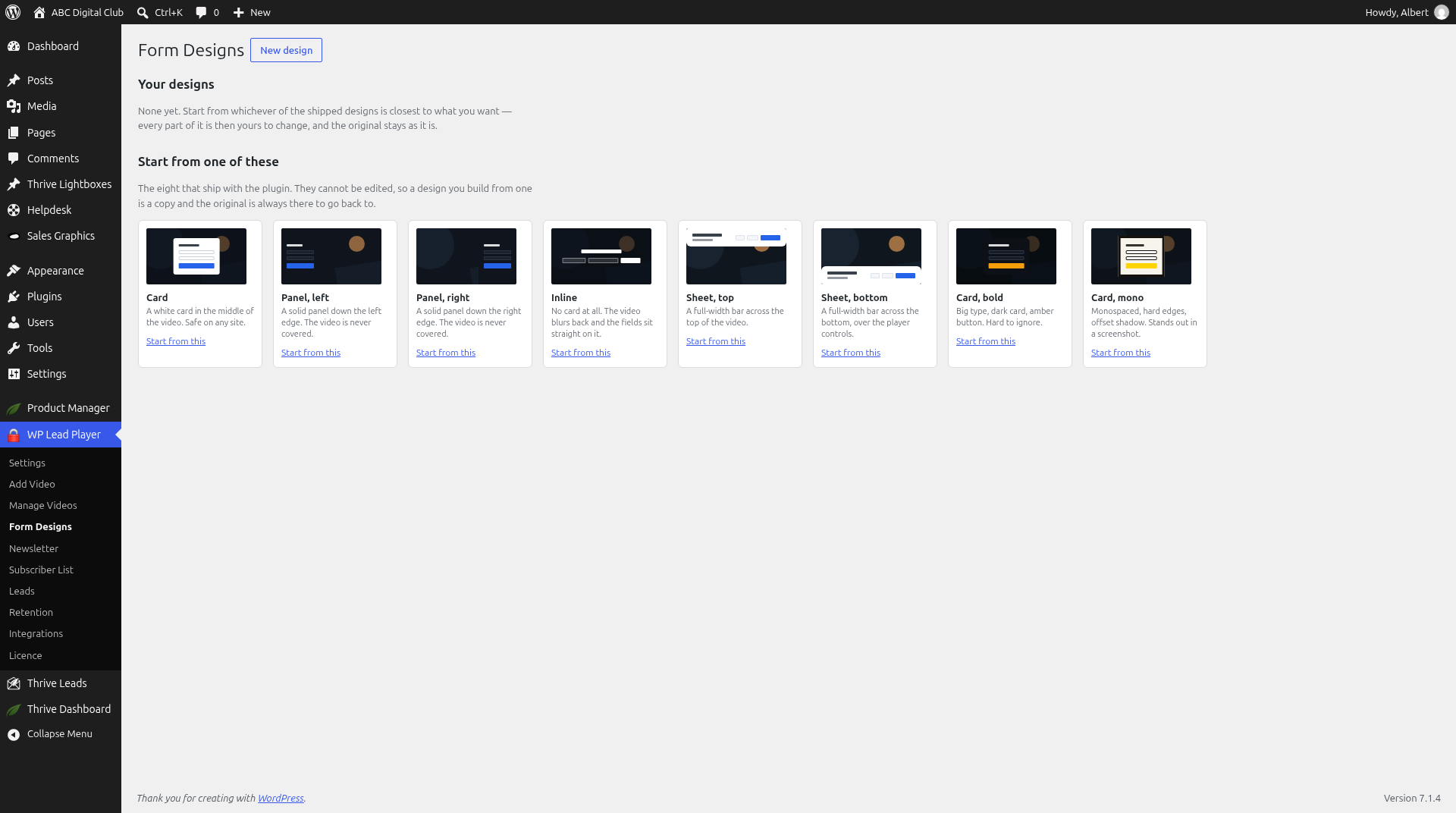
WP Lead Player comes with eight form designs. Each one is a different layout, not just a different colour.
The eight designs
| Design | What it looks like |
|---|---|
| Card | A white card in the middle of the video. Safe on any site. |
| Panel, left | A solid panel down the left edge. The video is never covered. |
| Panel, right | A solid panel down the right edge. The video is never covered. |
| Inline | No card at all. The video blurs back and the fields sit straight on it. |
| Sheet, top | A full-width bar across the top of the video. |
| Sheet, bottom | A full-width bar across the bottom, over the player controls. |
| Card, bold | Big type, dark card, amber button. Hard to ignore. |
| Card, mono | Monospaced, hard edges, offset shadow. Stands out in a screenshot. |
A design sets where the form sits over the video, its shape, its type and its button. It never changes the video itself.
Set the site-wide default
- Go to WP Lead Player › Settings.
- Under Form design, click the design you want. The default is Card.
- Click SAVE.
This is the design every video uses unless it picks its own.
Choose a design for one video
- Open the video and click the Opt-In tab.
- Under Form design, pick a design, or Site default (Card) to follow Settings. If you change the default in Settings, every video set to Site default changes with it.
- Save the video.
Any colour you set on the video’s Opt-In tab still wins over the design.
Good to know
- Forms use your theme’s typeface and shrink to fit small players, so the button is never out of reach.
- Want something different? Build your own (see Building your own form design).
Still stuck? Open a ticket on the support page on ABC and a real person will help.
Was this article helpful?