
Each ticket keeps a timeline of what happened to it. Only agents see it. Customers never do.
Where to find it
Open the ticket on the Agent Dashboard. The timeline is the section headed "Activity", with an "agents only" badge. It sits below "Internal Notes" and above the reply box. If nothing has happened yet it reads "No activity recorded yet."
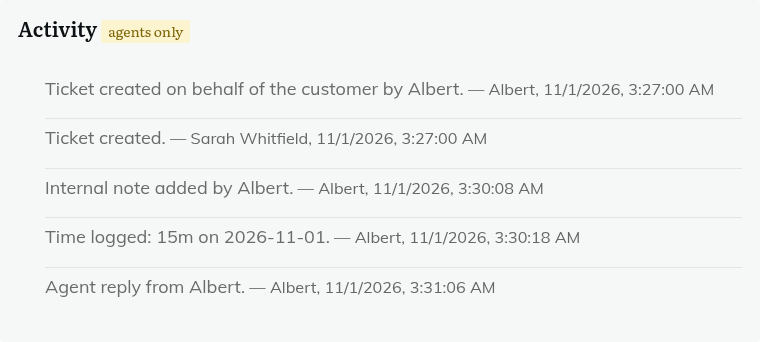
What is recorded
Core events:
- The ticket being created.
- Status, priority and department changes, with the old and new value.
- Reassignment, for example "Reassigned from X to Y".
- Tag changes.
- Each customer reply and agent reply.
- Each internal note.
- An agent starting or stopping watching the ticket.
- Merges (recorded on the main ticket).
- A failed attachment save.
Other parts of HelpDesk WP add their own lines when you use them:
- Custom field changes, for example "Field 'X' changed from A to B".
- Time logged, edited or deleted.
- Team routing, such as "Routed to team X" and "Team changed from X to Y".
- Automatic assignment, such as "Assigned to X (least busy member of Y)".
- A ticket being linked to an organisation.
- AI actions (summary, draft, rewrite, suggest).
- "Ticket printed by X".
- Private credentials being attached, updated, deleted or viewed ("Credentials viewed by X").
A ticket created on behalf of a customer is not listed here. It is recorded as an internal note on the ticket instead.
When to use it
Use it to see who last touched a ticket, or to check what happened when a customer queries a change.
Still stuck? Open a ticket on the support page on ABC and a real person will help.
Was this article helpful?