
Collision warnings
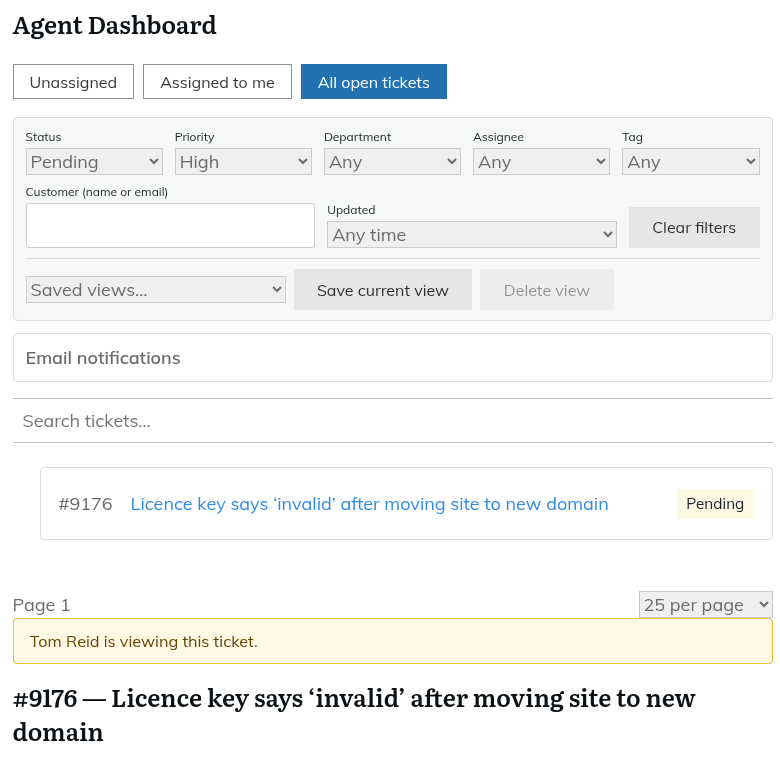
When two agents open the same ticket, each sees a banner showing who else is there. It stops two people answering the same customer.
- "NAME is viewing this ticket." appears while the other agent has the ticket open.
- "NAME is currently typing a reply…" appears while they are typing.
- The warning clears about 30 seconds after the other agent leaves.
- It is a warning only. Nothing is locked, and you can still reply.
Autosaved drafts
About a second after you stop typing, your reply is saved in your browser.
- If you close the tab by mistake, your draft is still there when you come back. A notice reads "A previous unsaved draft was restored."
- Drafts are kept for 7 days.
- They are saved in that browser only, for that ticket, so they do not follow you to another computer.
- Sending the reply clears the draft.
- To throw a draft away without sending, click "Discard draft" in the restored-draft notice.
The same autosave also protects the new-ticket form that customers fill in, so a customer who loses the page does not lose their message.
Still stuck? Open a ticket on the support page on ABC and a real person will help.
Was this article helpful?