
Internal notes
Internal notes are private to your team. Customers never see them, and they are stored separately from replies.
- Open the ticket on the Agent Dashboard.
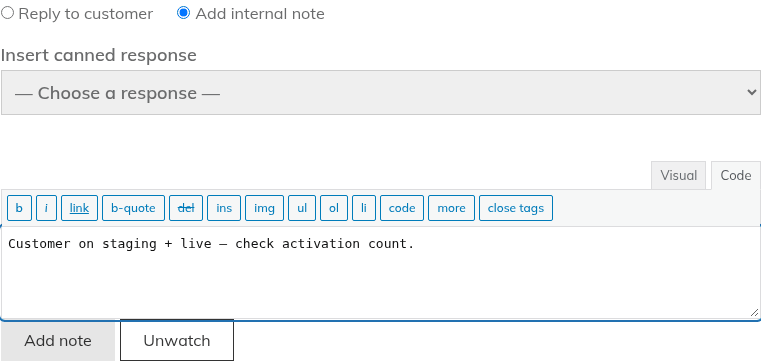
- Above the reply box, choose "Add internal note" instead of "Reply to customer".
- Type your note. The button changes from "Reply" to "Add note". Click it.
Notes appear in their own section, "Internal Notes", below the conversation, with an "agents only" badge. They are not mixed in with the replies.
Good to know:
- A note cannot have an attachment. The attachment field is hidden while "Add internal note" is selected.
- Agents who watch the ticket are emailed about new notes. Customers never are.
- Each note is also recorded on the activity timeline.
Canned responses
Canned responses are saved replies for common questions.
Create one
- Go to Helpdesk > Canned Responses.
- Click "Add New", give it a title and write the reply.
- Publish it.
Anyone with the "Manage canned responses" permission can add and edit them. Every agent can use them. Only published canned responses appear on tickets, and the list shows up to 200.
Use one
- Open the ticket and click in the reply box where you want the text.
- Open the "Insert canned response" drop-down above the reply box. Its first option is "- Choose a response -".
- Pick a response. Edit it if you need to, then send.
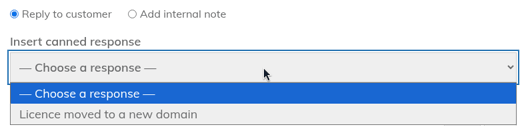
The drop-down only appears for agents. Customers never see it.
Still stuck? Open a ticket on the support page on ABC and a real person will help.
Was this article helpful?