
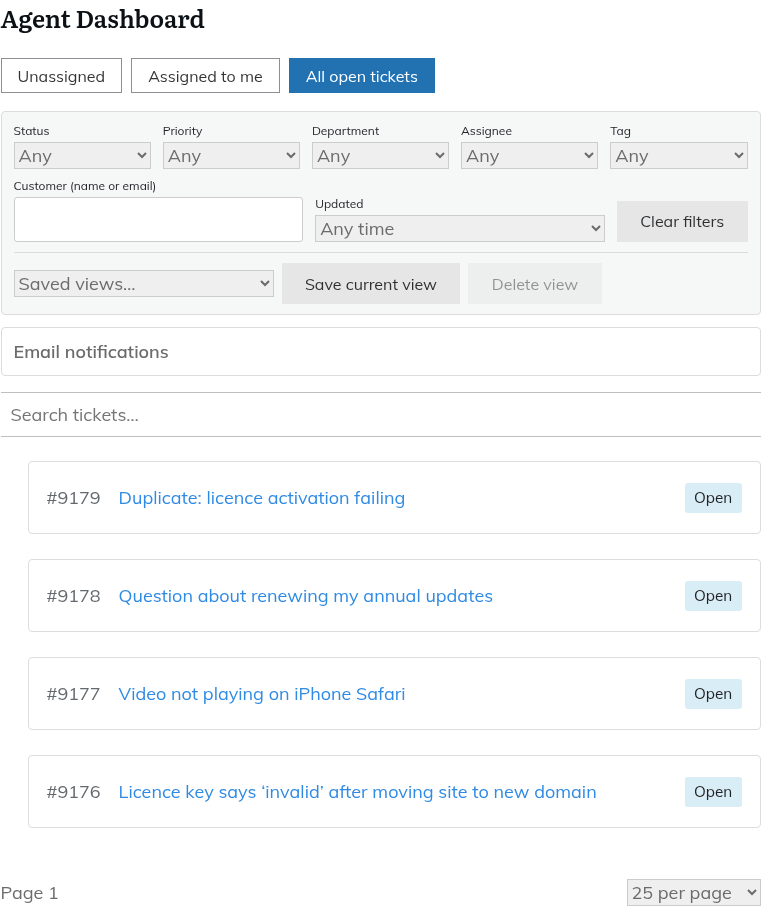
The Agent Dashboard is the front-end page that holds the
Please log in to use the support desk. Log in
shortcode. Agents work tickets there: reply, add notes, merge, watch, read the activity and change the status. The list in Helpdesk > All Tickets in wp-admin is only a list. See "Where agents work tickets: the Agent Dashboard and the admin list".Tabs
| Tab | Shows |
|---|---|
| Unassigned | Tickets no one has picked up. |
| Assigned to me | Your tickets. |
| All open tickets | Every open ticket you can see. |
| My teams | Tickets in your teams' queues. Only agents who are members of at least one team see this tab. |
Agents who do not have the "View all tickets" permission only get the "Assigned to me" tab and see only the tickets assigned to them.
The lists hide Closed, Resolved and Merged tickets unless you search for them, and each list shows up to 50 tickets, with no page numbers. If a ticket is not in the list, use the search box or a filter to find it.
Filters and saved views sit above the list. See "Filters and saved views (personal and shared)".
Watching a ticket
Watching a ticket means you get an email when it changes.
- Open the ticket.
- Click "Watch" at the bottom of the ticket, in the row of buttons next to "Reply".
- To stop, click the same button, which now reads "Unwatch".
You are watching a ticket automatically when you create it, when it is assigned to you and when you reply to it.
What you are emailed about
- New replies.
- Changes to the status, priority, department, assignment or tags.
- Internal notes (agents only).
You are never emailed about something you did yourself. You can also choose which of these emails you receive. See "Choosing which emails you receive".
Watching and unwatching are recorded on the ticket's activity timeline. See "Reading the activity timeline".
Still stuck? Open a ticket on the support page on ABC and a real person will help.
Was this article helpful?