
A webhook sends each new lead to any address that accepts a web request. That covers most email and CRM services directly, and everything else through an automation tool such as Zapier, Make or n8n.
Step 1: Get a webhook address
- Zapier – create a Zap with the Webhooks by Zapier › Catch Hook trigger and copy the URL.
- Make – add a Custom webhook module and copy the URL.
- n8n – add a Webhook node (POST) and copy the production URL.
- Your CRM or own system – use the address it gives you.
Step 2: Add it to WP Lead Player
- Go to WP Lead Player › Integrations.
- Under Webhook, tick Send leads to this webhook.
- Paste the address into Webhook URL.
- Optional: add a Signing secret (see below).
- Click Save Changes.
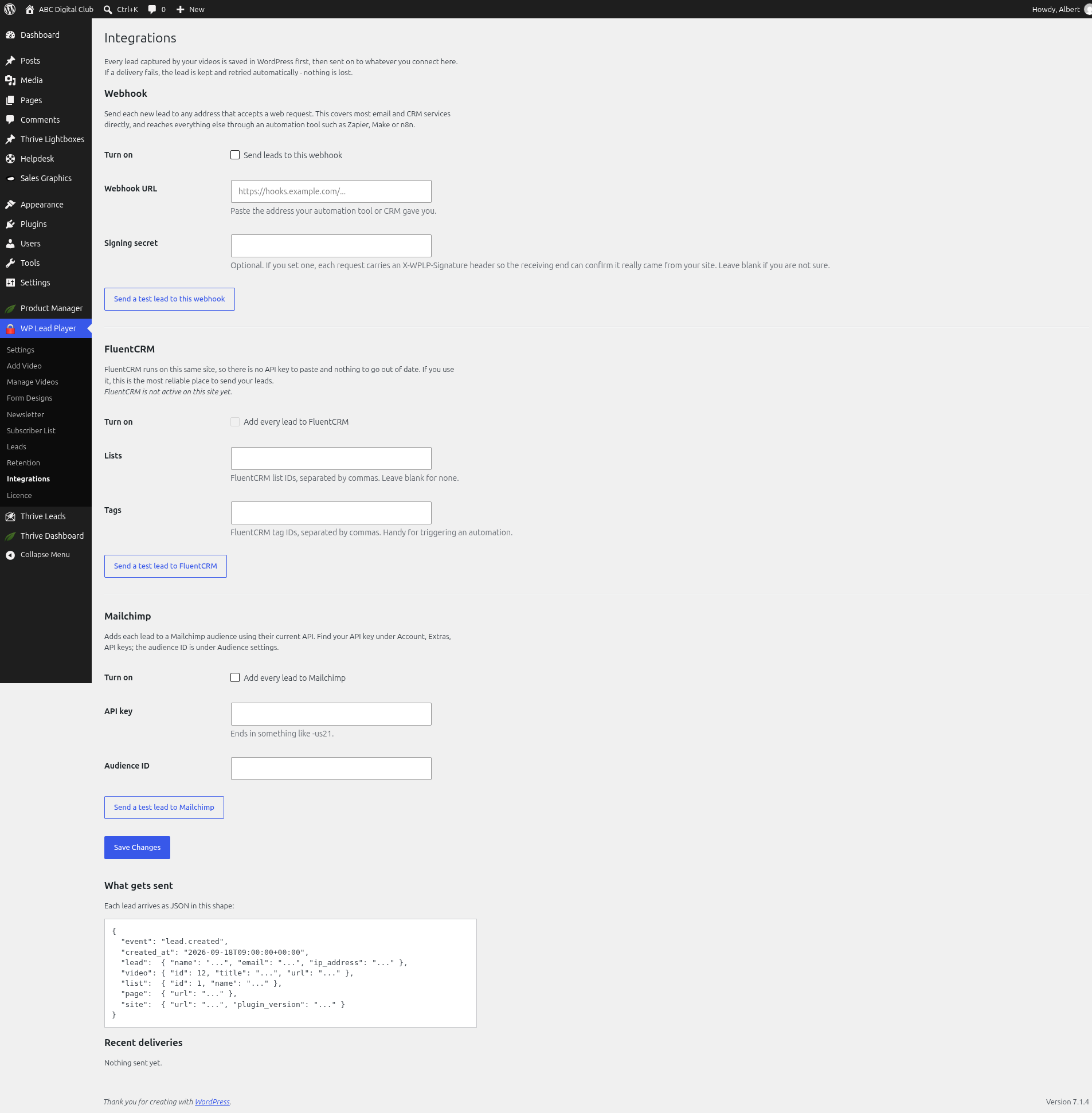
Step 3: Send a test lead
- Click Send a test lead to this webhook.
- Check the test arrived in Zapier, Make, n8n or your system.
- Map the fields to your email tool, for example add the email to a list.
- Check Recent deliveries on the Integrations screen.
Signing secret
A signing secret is optional. If you set one, each request carries an X-WPLP-Signature header, so the receiving end can confirm it really came from your site. Leave it blank if you’re not sure.
Verifying the signature
The signature is an HMAC-SHA256 of the raw request body using your signing secret, sent in the X-WPLP-Signature header as sha256=<hex digest>. An X-WPLP-Event header names the event (lead.created). Use the raw body, before any JSON parsing, or the digest will never match.
PHP:
$raw = file_get_contents('php://input');
$ok  = hash_equals('sha256=' . hash_hmac('sha256', $raw, $secret), $_SERVER['HTTP_X_WPLP_SIGNATURE'] ?? '');
Node:
const expected = Buffer.from('sha256=' + crypto.createHmac('sha256', secret).update(rawBody).digest('hex'));
const given = Buffer.from(req.headers['x-wplp-signature'] || '');
const ok = given.length === expected.length && crypto.timingSafeEqual(given, expected);
What gets sent
See How integrations work and what gets sent for the JSON shape.
Still stuck? Open a ticket on the support page on ABC and a real person will help.
Was this article helpful?