
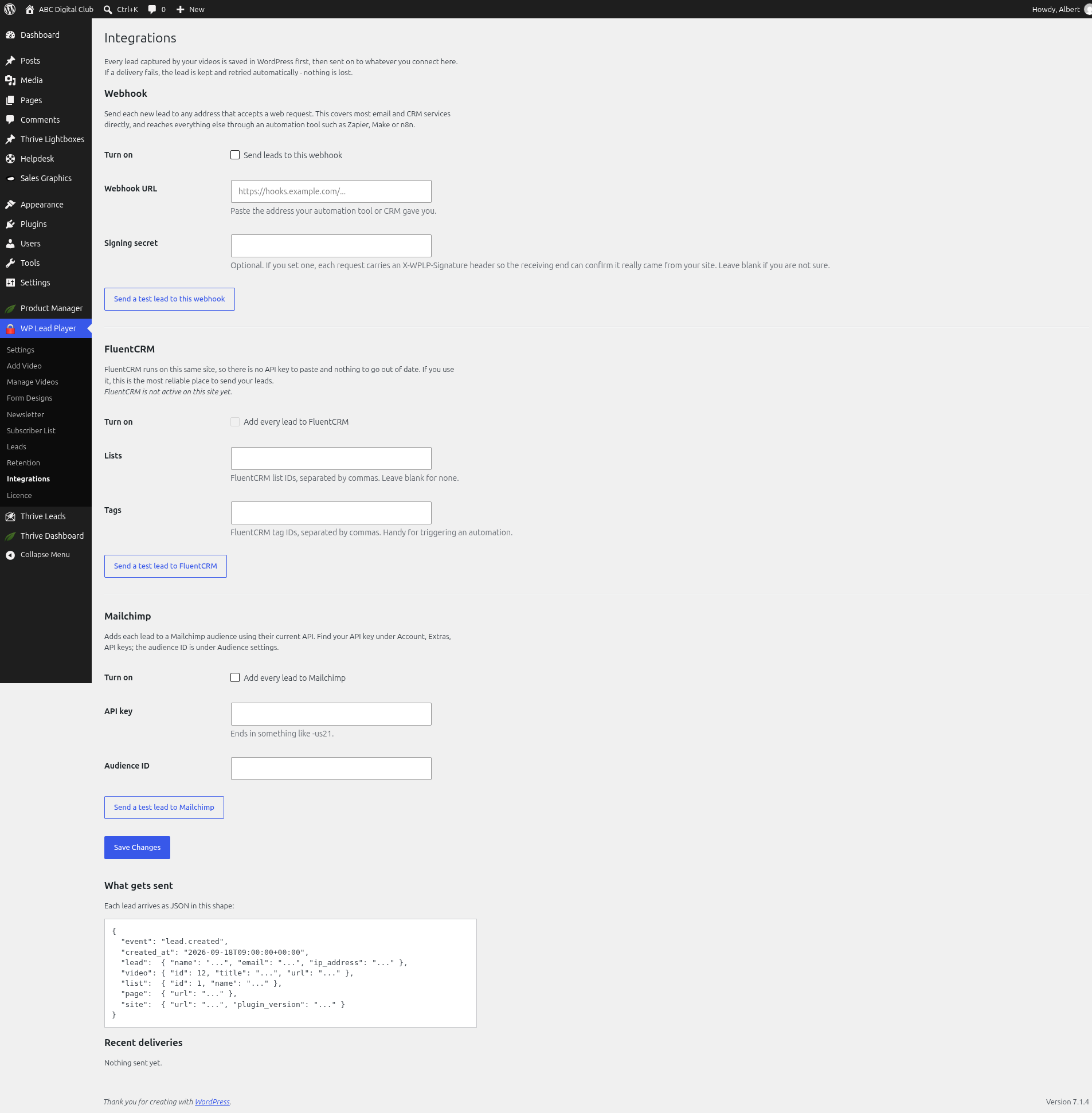
Every lead captured by your videos is saved in WordPress first, then sent on to whatever you connect on the Integrations screen. If a delivery fails, the lead is kept and retried automatically, so nothing is lost.
Your options
Go to WP Lead Player › Integrations. You can connect:
- Webhook – any address that accepts a web request, including Zapier, Make and n8n. See Sending leads to a webhook.
- FluentCRM – if it runs on the same site. See Connecting FluentCRM.
- Mailchimp – an audience in your Mailchimp account. See Connecting Mailchimp.
The webhook is the recommended route, and it works with almost any email tool through Zapier, Make or n8n.
What gets sent
Each lead arrives as JSON in this shape:
{
  "event": "lead.created",
  "created_at": "...",
  "lead": { "name": "...", "email": "...", "ip_address": "..." },
  "video": { "id": 1, "title": "...", "url": "..." },
  "list": { "id": 1, "name": "..." },
  "page": { "url": "..." },
  "attribution": { "utm_source": "...", "utm_medium": "...", "utm_campaign": "...", "utm_term": "...", "utm_content": "...", "referrer": "...", "landing_page": "..." },
  "site": { "url": "...", "plugin_version": "..." }
}
Campaign data is included in an attribution block. All seven keys are always present, so you can map them once in your tool. How much of the video someone watched isn’t sent; it’s on the Leads screen and in the CSV export.
Recent deliveries
The Recent deliveries section shows each attempt. Before anything has been sent it says Nothing sent yet.
If a delivery fails, it’s retried automatically up to six times, waiting 1 minute, 5 minutes, 15 minutes, 1 hour, 3 hours and then 6 hours. After the sixth attempt it stops. Automatic retries run on WP-Cron. The try again now button ignores the waits and attempts everything queued. Either way the lead is still in WordPress – a failed delivery never loses a lead.
Remember to click Save Changes after changing any integration.
Still stuck? Open a ticket on the support page on ABC and a real person will help.
Was this article helpful?