
HelpDesk WP plugs into WordPress's own privacy tools. They help you respond to export and erase requests, but they are tools, not a guarantee that your site complies with any law. You stay responsible for how you use them.
Export a customer's data
- Go to Tools > Export Personal Data.
- Enter the customer's email address and send the request.
- Once the person confirms, download the file.
The export contains their tickets (ID, subject, message as plain text, date and status), the replies and notes they wrote (ticket ID, type, text and date) and any agent messages they sent. The optional modules add their own parts where they are switched on, for example custom field values, saved views, organisation membership, email preferences and, for agents, the AI usage log. Values that are marked agent-only are left out of a customer's export by default. Private credentials are listed by name and date only, never the values. Time entries are included for the person who logged them (an agent), not for the customer.
Erase a customer's data
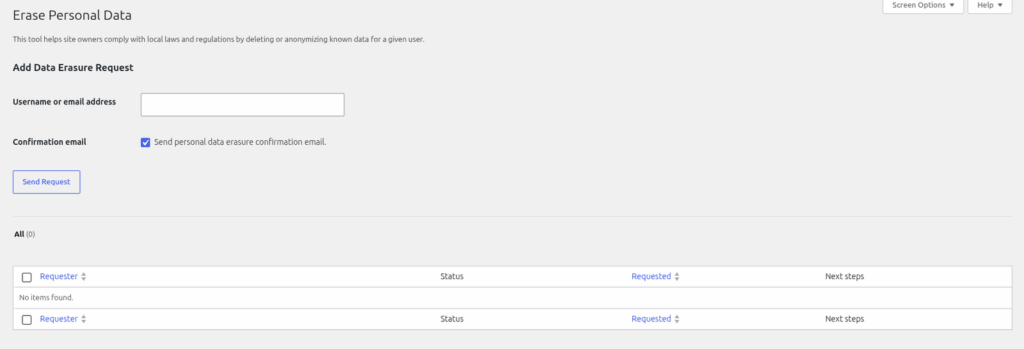
- Go to Tools > Erase Personal Data.
- Enter the email address and send the request.
- Once the person confirms, run the erasure.
Erasing anonymises rather than deletes:
- Every ticket the person wrote gets the subject "[Erased]" and the message "This ticket was erased per a privacy request."
- Every reply and internal note they wrote, on any ticket, is replaced with "[Erased per a privacy request.]"
- Custom field values, time entries, private credentials and the form reference on the erased tickets are cleared. The person's saved views, email preferences and organisation membership are removed.
What is kept
- Dates, status, priority, department, assignment and ticket numbers, so your numbers still add up.
- The WordPress user account itself. Delete it separately under Users if you need to.
- The author name and email stored on each reply.
- Activity timeline lines, which can contain names and, for merged tickets, old subjects.
- Attached files. They stay in your Media Library, so remove them there if needed.
- Agent-to-agent messages. They are included in an export but not erased.
Check the result on a test person before you rely on it for a real request.
Still stuck? Open a ticket on the support page on ABC and a real person will help.
Was this article helpful?