
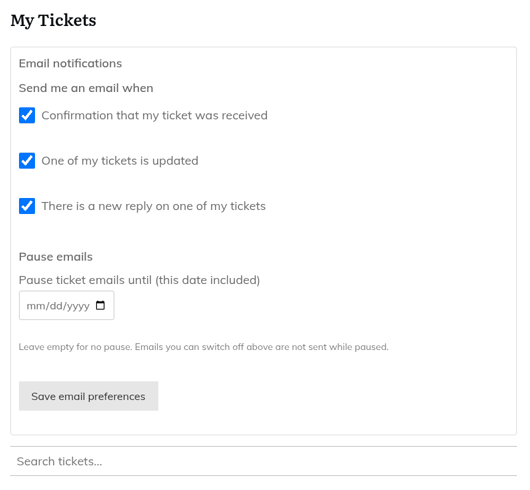
HelpDesk WP lets each person choose which emails they get. This needs the Email notifications module, which administrators can switch on or off. It is on by default.
Where people find it
- A collapsed "Email notifications" box above the My Tickets list and the Agent Dashboard.
- Their WordPress profile, under "Helpdesk email notifications".
- Any page holding the
Please log in to manage your email notifications.
shortcode.
What customers can choose
Under "Send me an email when", customers can tick or untick:
- Confirmation that my ticket was received
- One of my tickets is updated
- There is a new reply on one of my tickets
What agents can choose
- A new ticket is assigned to me
- A ticket I follow is updated
- An internal note is added to a ticket I follow
- A new reply on a ticket I follow
Agents also have "Only email me about tickets assigned to me or created by me".
Pausing emails
Use "Pause emails" to set a date until which no emails are sent, for example for a holiday. The date can be up to a year ahead. Click "Save email preferences" to keep your choices.
For administrators
Go to Helpdesk > Email notifications.
- A master switch turns personal preferences on or off for everyone.
- You choose which of the customer emails customers are allowed to switch off. By default, all three are allowed. Internal notes are never sent to customers.
Preferences can only remove recipients. They never add emails. People without an account, such as guests, always get their emails. Preferences are included when you export or erase someone's personal data.
See also "Email notifications, From address and the email health check".
Still stuck? Open a ticket on the support page on ABC and a real person will help.
Was this article helpful?