
HelpDesk WP works as soon as you activate the plugin. Entering your licence key is what switches on plugin updates.
Install the plugin
- Download the .zip from the link you were given when you got HelpDesk WP.
- In WordPress, go to Plugins > Add New Plugin and click Upload Plugin.
- Choose the .zip file and click Install Now.
- Click Activate Plugin.
A Helpdesk menu now appears in the dashboard. HelpDesk WP does not create any pages for you. See "Setting up your support pages with shortcodes".
Activate your licence
- Go to Helpdesk > Settings. There are no tabs: the "License" section is at the top of the page.
- Paste your licence key into the "License Key" box.
- Click "Activate License".
- The status shows "Active". When the licence server knows them, it also shows the plan name and a "Renews/expires" date.

Keep your key private. Never post it in a forum or in a screenshot.
What the licence does
- Gives you updates through the normal WordPress Plugins screen while the status is "Active".
- Your helpdesk keeps working as normal if you have no licence, or if it has lapsed. Nothing is ever switched off or blocked; you only stop receiving updates. See "Licence, updates and what happens when it expires".
- HelpDesk WP only contacts the licence server to activate, check, deactivate or look for updates. It sends your site address, your WordPress version and the HelpDesk WP version. It never sends ticket data. The status is re-checked once a day, and the update lookup is remembered for 12 hours.
Moving to another site
Click "Deactivate" beside the License Key box on the old site first. This releases the activation on the licence server. If the server cannot be reached, the key is still cleared on your site. Then activate the key on the new site.
Extensions
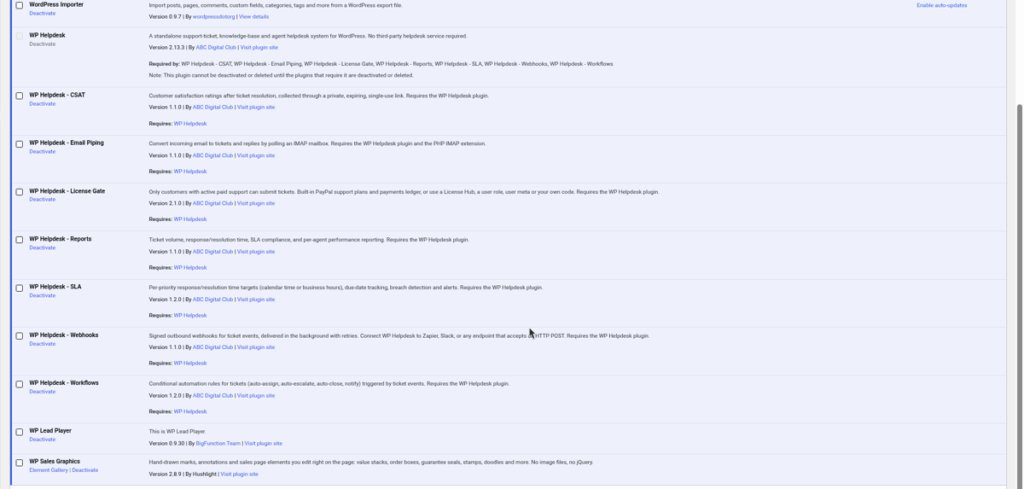
Extensions are separate plugins you install the same way: upload the .zip, then activate it. They need HelpDesk WP 2.9.0 or newer, and they have no licence box of their own. Their settings appear under the Helpdesk menu. See "Extensions overview: SLA, Workflows, Reports, CSAT, Webhooks, Email Piping, Paid Support".
Still stuck? Open a ticket on the support page on ABC and a real person will help.
Was this article helpful?